Before the Online Portal: The Changing Shape of City Notices
City notices online can be easier to search, but their labels may obscure local context. Learn how to match a listing to the place and process.
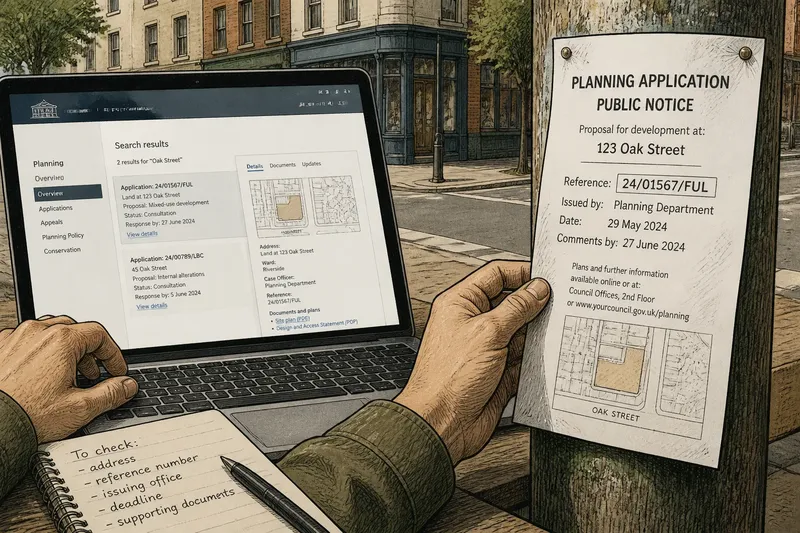
City notices online are easiest to use when a listing can be matched to the place and decision it concerns. A search result may name a project but omit the street residents know; a notice beside a site may identify the location but leave the supporting documents elsewhere. Reading the two together means checking how the public record connects to its surroundings.
Records and their routes
A city notice signals that a public process is under way: a planning application may be open for comment, a road closure proposed or a meeting scheduled. The notice is not necessarily the full record. It may point to plans, reports, a response deadline or a council office that can explain what happens next.
Each route to that information has its own friction. A noticeboard in a library or council office can be encountered without knowing a search term, but only by someone who reaches that place while the notice is displayed. A council portal can be revisited and searched from elsewhere, yet a resident may need to guess whether the relevant record sits under planning, transport, a ward or a project name.
These are not simply different ways to display the same message. A noticeboard puts information into a shared physical setting; a portal organises it as a record among other records. The first can make a local connection apparent. The second can make documents easier to retrieve and compare, provided its labels and links are clear.
Names, places and labels
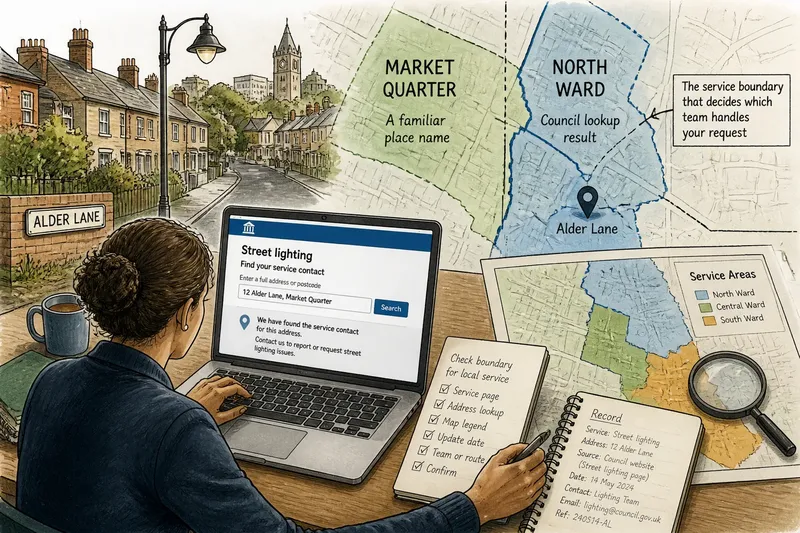
A portal’s categories shape what a resident can find. A person might search by street, application reference, ward or department. If the council uses a project title unfamiliar to residents, a search for the everyday place name may not return the relevant entry. Browsing the planning or transport category can help when a direct search fails.
Physical notices have a different weakness: location can be too narrow a guide. A sheet near a development may be visible to someone passing the frontage, but not to a neighbour who uses another route or visits at another time. The notice’s address, site plan or reference number can help connect that local cue to a fuller online record.
Think of a library book catalogue beside a shelf. The shelf shows where a book sits, while the catalogue helps locate it by title or subject; neither is much use if the labels do not match. City notices have a similar problem when a familiar street name, formal project title and council category point to the same matter without making that link plain.
Finding city notices?
Where should I search for city notices?
Begin with the council’s notices or planning pages, then check the relevant department or meeting calendar if the subject is specific. For a proposal tied to a particular site, a physical posting may help identify the location or application reference.
Why might a portal search miss a notice?
The record may be filed under a project title, application number, ward or agency rather than the phrase a resident would naturally use. Try a street name with a broad subject, then browse the relevant category if the results are empty or unrelated.
What should I check on a city notice?
Look for the address, issuing office, reference number, date, response deadline and links to supporting documents. Those details help distinguish an announcement from the full record and provide a way to ask the council about the right matter.
How can I tell if a notice is still current?
Check the notice’s dates and look for later updates on the same council record. If the status or deadline remains unclear, contact the named office rather than treating an old search result as active.
Matching a listing to a site
Say you hear that a street corner may be redeveloped, but you do not know the project name or application number. You search the council portal for the street and select its planning category; the results include two entries, so you compare their addresses and open the one that names the corner. Its page links to a site plan and gives a reference number. You then look at the physical notice near the proposed site and find the same reference. The result is a more confident match between the location and the record, though it does not establish that either source contains every update.
This is a useful way to read notices because it treats identifiers as bridges. A street address can connect a resident’s knowledge of a place to the council’s formal filing; a reference number can connect a short announcement to plans and later updates. If the names do not line up, a library or council service desk may be able to direct the enquiry to the relevant department.
Keep the notice and the supporting record distinct. A short announcement may explain how to comment, while the linked file contains plans or reports. Before relying on a document, check that it belongs to the same reference and that the council has not posted a later version.
Access and visibility
Online records spare residents a trip to a particular building, but they still require a usable device, an internet connection and enough clarity about the portal’s structure. A scanned document may be hard to read, and a large file or unfamiliar category can turn formal availability into a frustrating search.
Paper notices can be read without logging in or searching, but access depends on placement, legibility and timing. Small print, an awkward noticeboard or a site that a resident rarely visits can make the information difficult to encounter. Neither format reaches everyone by itself.
Where a council offers both, the connection between them matters. A physical posting can identify the affected place; a portal can provide documents and a route back to the record. Matching wording—especially an address, reference number and issuing department—lets residents move between the two without having to guess whether they concern the same decision.
What a notice makes visible
Public information is not useful merely because it has been posted somewhere. Residents need to recognise that a matter concerns their street, identify the stage of the process and find out how to respond. A portal makes those tasks easier when its titles and categories reflect the terms people use; a local posting helps when it connects the formal record to a specific site.
When searching for city notices online, use a familiar place name to begin, then follow the council’s reference number or department to the full record. If a physical notice is available, compare its details rather than assuming it tells the whole story. That simple match can clarify which location and public process a listing describes.